Supplier list
Combines matching items for ordering. Products with different stock lengths, finishes, or part numbers stay on separate rows.
DeckDraft calculates lumber, decking, railing, footing, and hardware quantities from your drawing. Export a supplier list or a detailed takeoff in CSV or Excel.
| Material | Qty | Unit |
|---|---|---|
| 2x10 PT stock - 10' | 12 | pcs |
| 2x10 PT stock - 12' | 4 | pcs |
| 2x12 PT stock - 8' | 5 | pcs |
| 5/4x6 grooved composite deck board - 12' | 21 | pcs |
| 3x3 Aluminum Posts | 8 | ea |
| 1/2x12 composite deck trim board - 12' | 4 | pcs |
Combines matching items for ordering. Products with different stock lengths, finishes, or part numbers stay on separate rows.
Groups quantities by use, including framing, decking, railing, footings, hardware, and stairs.
All files were exported from this fictional DeckDraft project on November 17, 2026.
Open Current Job Settings → Takeoff. Set stock lengths and allowances, or select Load installer takeoff defaults. Select Save Project Info to apply the settings.
Set available stock lengths by lumber size or deck board type. You can also set lengths for fascia, risers, and rail sections.
Set separate waste percentages for straight and diagonal field decking, or add a fixed number of boards. Set allowances for picture frames, seams, stairs, and trim separately.
Sample supplier list
12 pieces
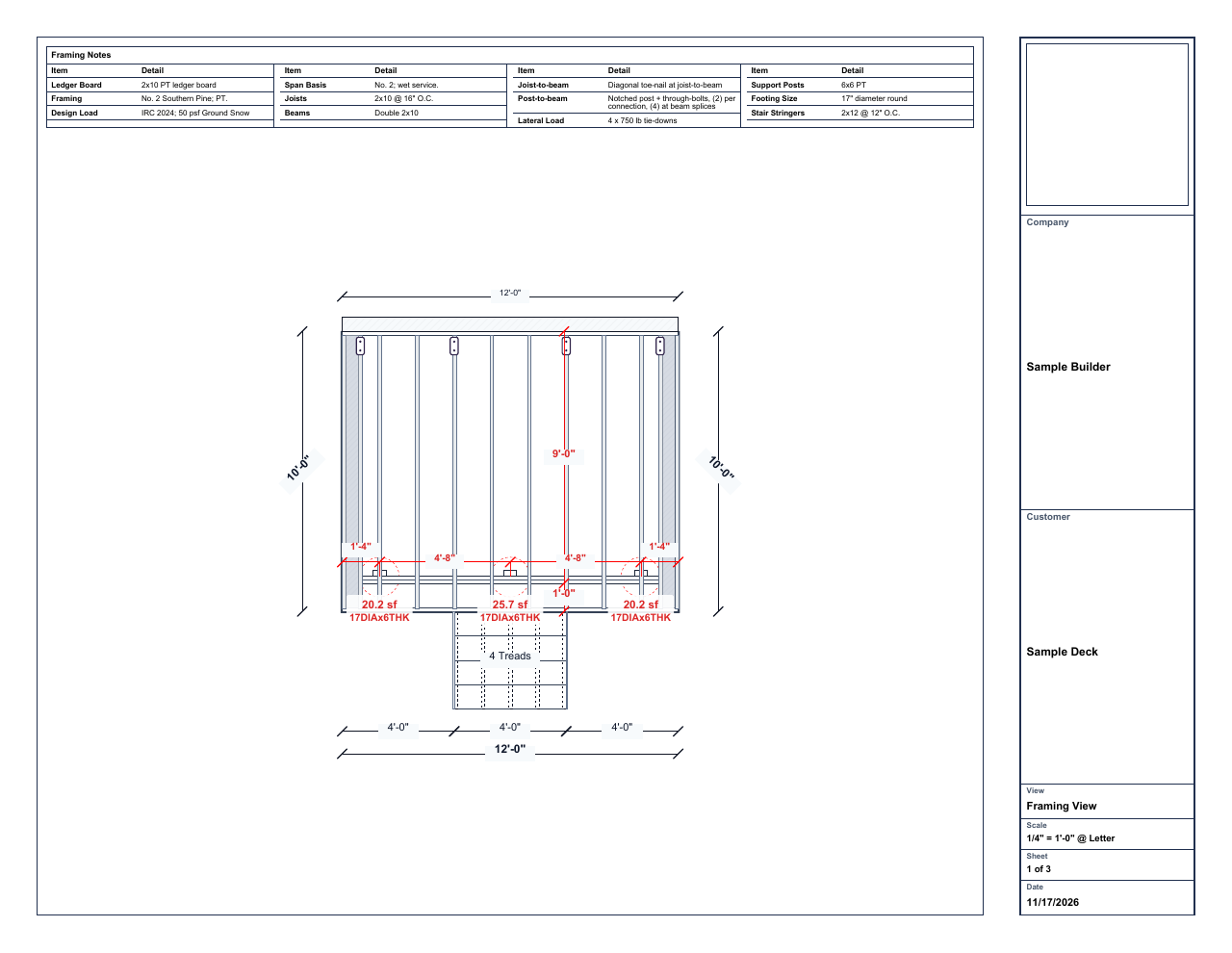
Match the 12 joists on the framing plan to the supplier list’s Sources column and the framing lumber schedule.
Framing plan Joist count on PDF sheet 24 pieces
2 beam plies + 1 front rim + 1 ledger. The supplier list combines them into one stock line. The detailed takeoff keeps all three uses separate.
Framing lumber on PDF sheet 2120 estimated pieces
10 standard hangers + 2 concealed-flange hangers, at 10 fasteners each. The Notes column flags the estimate for order review. Use the selected hangers’ fastening schedules to confirm type, size, and quantity before ordering.
Fastener estimate on sheet 3Use it to build your order. Resolve ORDER REVIEW notes, confirm stock lengths with your yard, and check the selected hardware, fastening schedules, and package quantities.
Where DeckDraft plans cuts, the stock quantity includes whole boards and their offcuts. Extra waste allowances start at none. Add a percentage or extra pieces in Takeoff settings.
Yes. Changes to the layout, framing, stairs, or selected materials recalculate the takeoff. Export a fresh file after the revision.
Yes. Mark the bays you plan to reuse as Existing framing. Those bays keep their new decking and railing quantities while the reused framing is excluded from the lumber order. Check any repair work against the job scope.
For flat blocking below picture frames and seams, the quantity is the length of the run that needs support. Use the detail to choose the blocking layout and work out how much lumber to order.
Use the supplier list to request a quote after reviewing the order notes. It combines matching stock and hardware. Use the detailed takeoff when you need to see where each item is used.
In Takeoff, choose Supplier list or Detailed takeoff, then select CSV or Excel.
If your estimating software accepts CSV or Excel, check its import instructions. Match the item, quantity, unit, and part number columns to the fields it expects. Apply your supplier’s pricing in the estimate.
14 days. No card required.