June 2026 product update
AI Help, better deck controls, and a steadier contractor workflow.
June was about turning DeckDraft into a smoother daily tool: smarter help inside the workspace, cleaner decking and stair controls, stronger roof and house context, and account workflows ready for more teams.
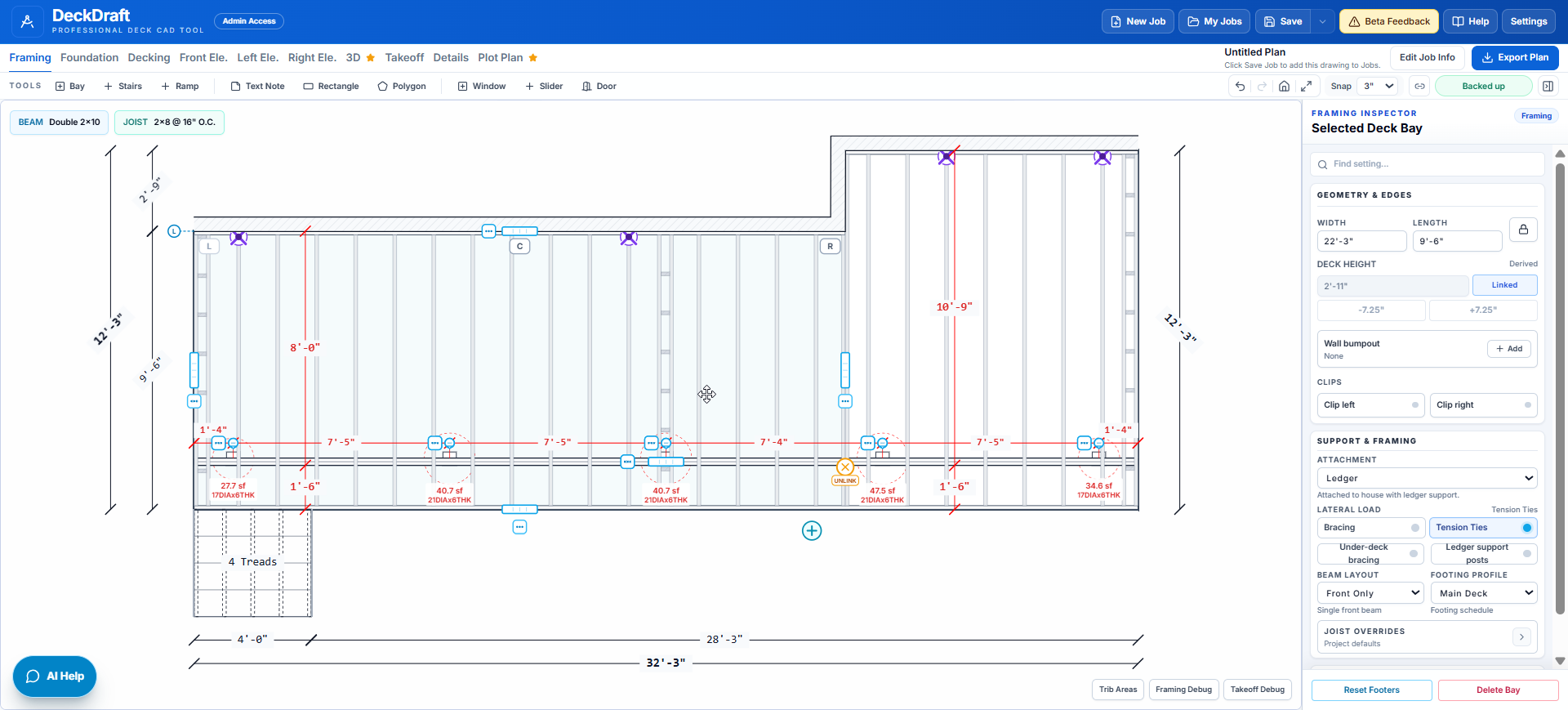
AI Help moved into the workspace with more context about the drawing, selected items, and safe plan actions.
Decking, stairs, rails, house openings, bump-outs, and takeoffs received a large round of contractor workflow polish.
Account, team, login, analytics, and support tooling matured so DeckDraft could support more real customer use.
Workspace flow
June tightened the core workspace: drawing controls, selected-item behavior, annotations, settings, stairs, rails, and plan review.
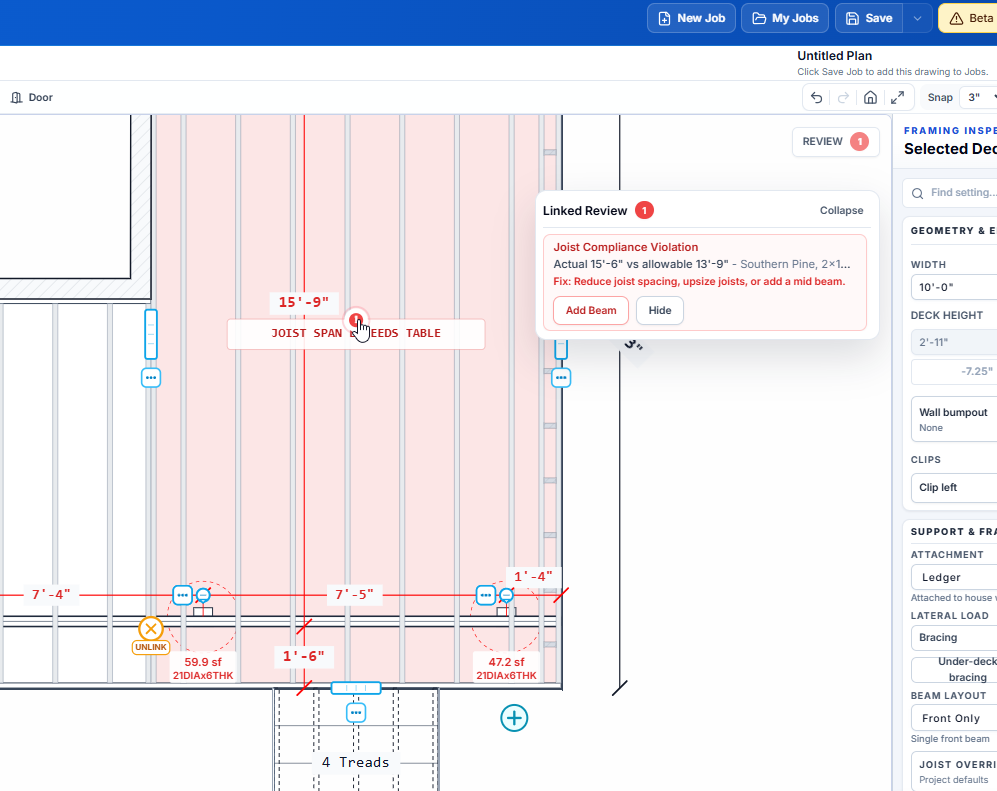
Review and framing signals
More framing checks, takeoff cleanup, and support warnings helped plans become easier to review before export.
Important note on AI Help
AI Help is meant to support drafting and troubleshooting, not replace contractor review. The useful part is that it can work from DeckDraft context and constrained actions, so support can become more specific while plan changes stay limited to safe, predictable workflows.
Workspace AI Help Became More Practical
June was the month AI Help moved closer to the actual drawing. The goal was not a detached chatbot. It was a workspace-aware assistant that can understand the current plan, explain what it sees, and make constrained edits only where DeckDraft has safe, deterministic actions.
- AI Help moved into a floating workspace bubble with better mobile placement.
- The assistant gained richer knowledge of framing, inspector controls, selected items, and common deck layout questions.
- Sketch upload support made it easier to ask for help using a field sketch or reference image.
- Safe actions were added for targeted plan edits, including early corner-clip and flush-beam guidance.
- Feedback capture and admin AI Help logs made support conversations easier to review and improve.
Better Decking, Stairs, Rails, And Takeoffs
A lot of June work focused on making the everyday drawing surface behave more like a contractor expects. Decking seams, picture-frame edges, stair landings, rail infill, trim, and takeoffs all got more precise controls and fewer awkward edge cases.
- Draggable seam-board locations, snapping behavior, and per-bay picture-frame edge controls improved decking layout work.
- Existing framing reuse, fascia takeoff fixes, stair riser takeoffs, joist hanger counting, and deck board dimension export settings tightened material review.
- Front attached landings, switchback landing behavior, stair bottom footing options, and seam-spanning stairs made stair workflows more flexible.
- Steel railing, cable infill, glass infill, rail height controls, and corrected rail takeoff labels expanded rail options.
- Under-deck bracing, support framing controls, tension-tie placement, and H-frame bump-out handling improved framing clarity.
House, Roof, Screen Room, And Site Context
Deck jobs rarely stop at a rectangle and a beam schedule. June added more context around the house, roof, and site so permit drawings and customer reviews could tell the full story with less manual cleanup.
- Plan and side-elevation house wall openings gained better symbols, dragging, resizing, deletion, and wall-run targeting.
- House bump-outs, wrap walls, return dimensions, and opening placement were tightened across plan and elevation views.
- Patio roof, screen-room roof, rear roof header, gable ridge post, and roof support behavior expanded covered deck workflows.
- Configurable skirting, takeoff allowances, standard house doors, and Google Places address autocomplete improved job setup and exports.
- Plot plan controls, larger export scales, PDF crop fixes, and line/elevation annotation tools continued moving the plan set toward cleaner permit output.
Customer Operations And Growth Plumbing
June also included the less flashy work that makes the product easier to sell, support, and trust. Those changes matter because contractors need the account flow, company sharing, billing, and support loop to feel as steady as the drawing tools.
- Team seat management, company invite guards, team usage visibility, and admin billing visibility improved company-account workflows.
- Work-email login, self-serve magic links, branded sign-in links, and password reset emails made access smoother.
- Google Ads, GA funnel, Meta Pixel, lifecycle segmentation, and acquisition tracking gave the marketing funnel clearer signals.
- Admin hot leads, growth links, do-not-contact state, IndexNow submission, and support intake workflows improved follow-up.
- The homepage, landing copy, and resource content were sharpened around contractor deliverables and beta limits.
Why it matters
June made DeckDraft easier to use on more job types.
The month was full of small, practical improvements that add up: fewer manual fixes in decking, more expressive stairs and rails, better house context, cleaner sign-in, clearer support, and a stronger admin view of customer activity.
That foundation set up the July push into angled and tapered deck fronts, because the surrounding systems already understood more of the real-world plan context.
Try the latest workspace